Average-speed zones, handled automatically.
Average-speed cameras measure the whole corridor, not one moment. Safe Average has Europe's known corridors built in — they start and finish by themselves, while a live average shows the exact speed to hold the whole way.
Out now on the App Store and Google Play · one-time purchase · no subscription · no ads · in 8 languages.
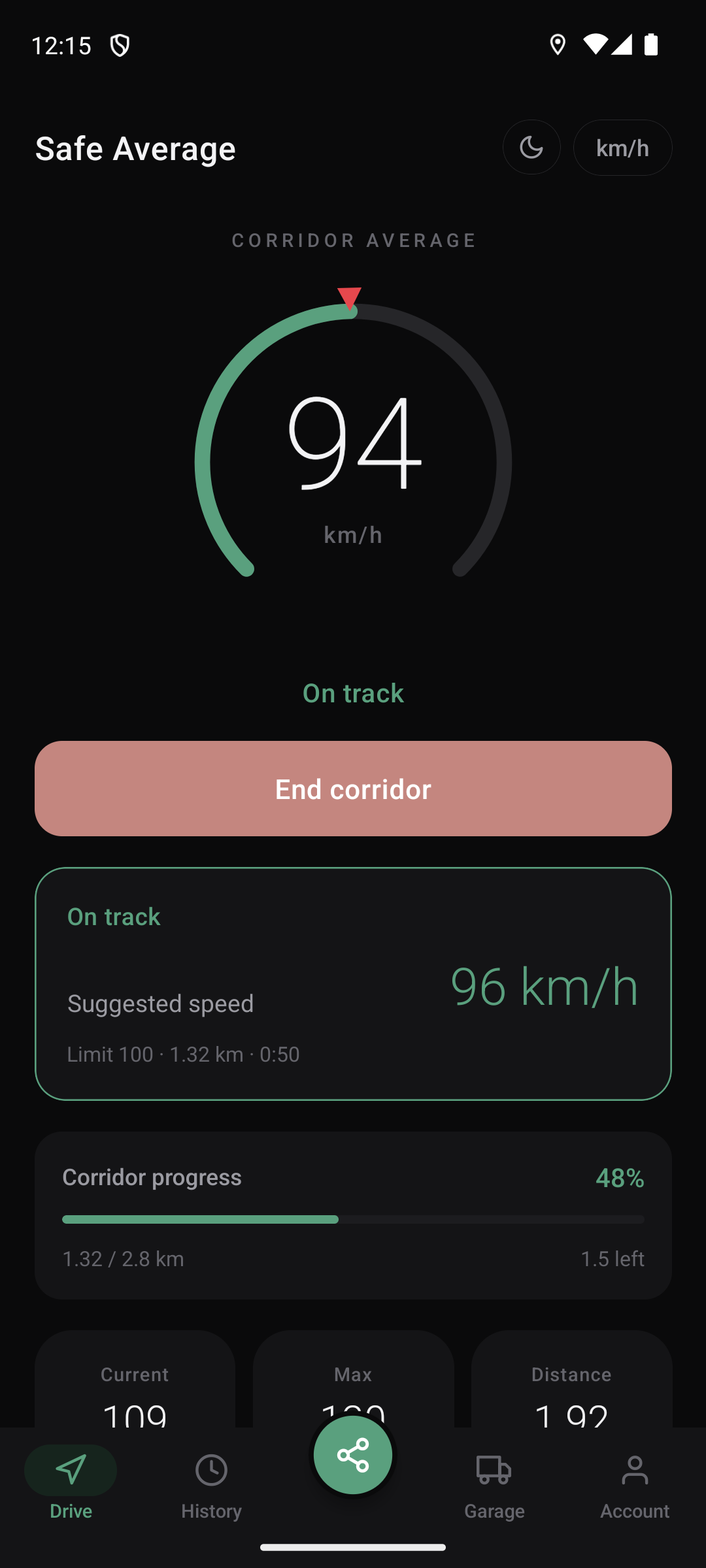
Start the drive. That's it.
Safe Average measures your own average so you can hold a legal speed through point-to-point zones. New to these cameras? See how average-speed cameras work and try the free calculator →
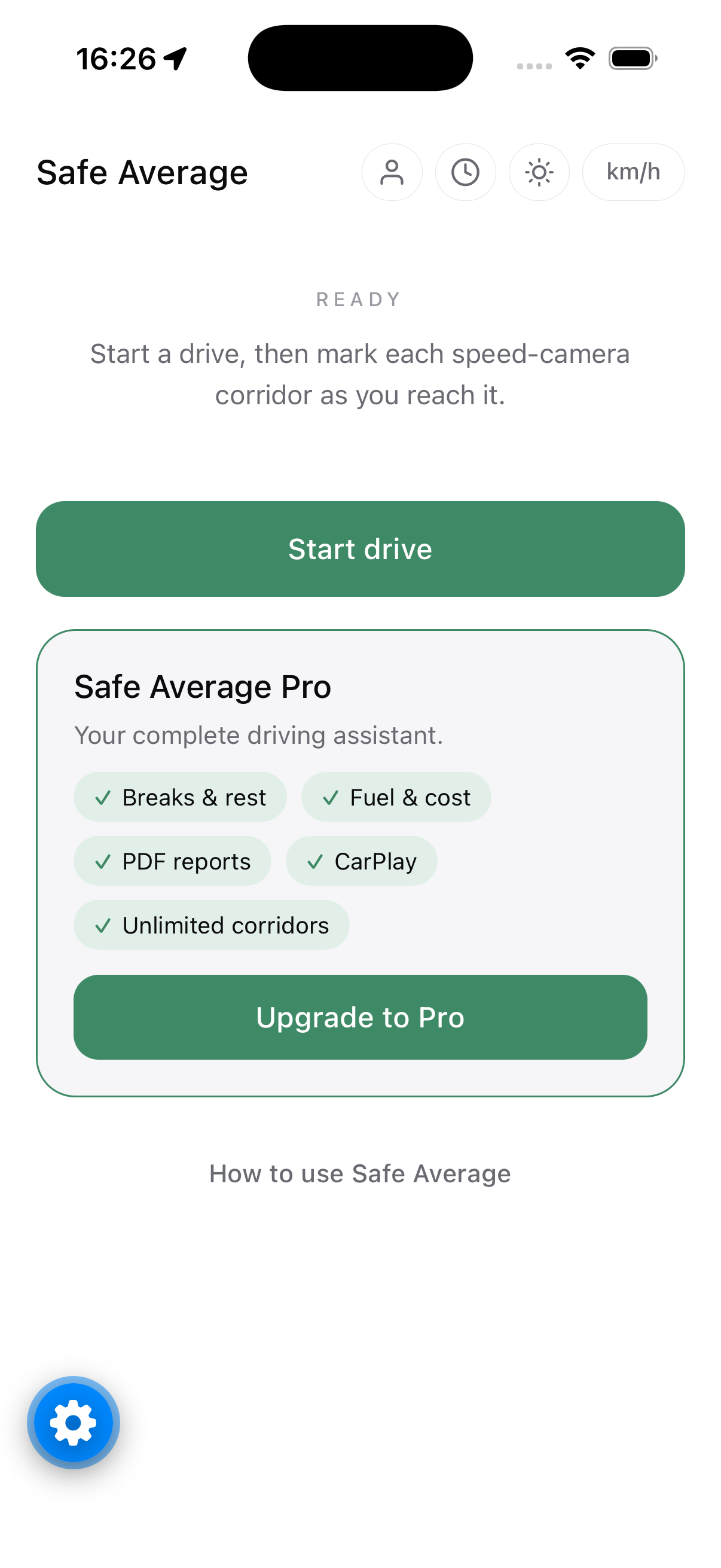
Start a drive
Tap Start drive as you set off. The app follows your distance, speed and overall average — even in the background with your phone locked.
Zones start themselves
Reach a known average-speed corridor and it begins automatically, with the posted limit already set. Manual start is always there too.
Hold the suggestion
Keep at or below the suggested speed. The dial shifts toward the warning colour if your average climbs — and the zone finishes by itself.
Your average, always in view.
A single dial shows the number that matters: your corridor average. The arc fills green while you are under, and a suggested speed tells you the exact pace to finish clean.
- Green under the limit, amber as it climbs, red if you go over
- Corridor progress — how far you've come, how much is left
- Keeps working with your screen locked, with notifications
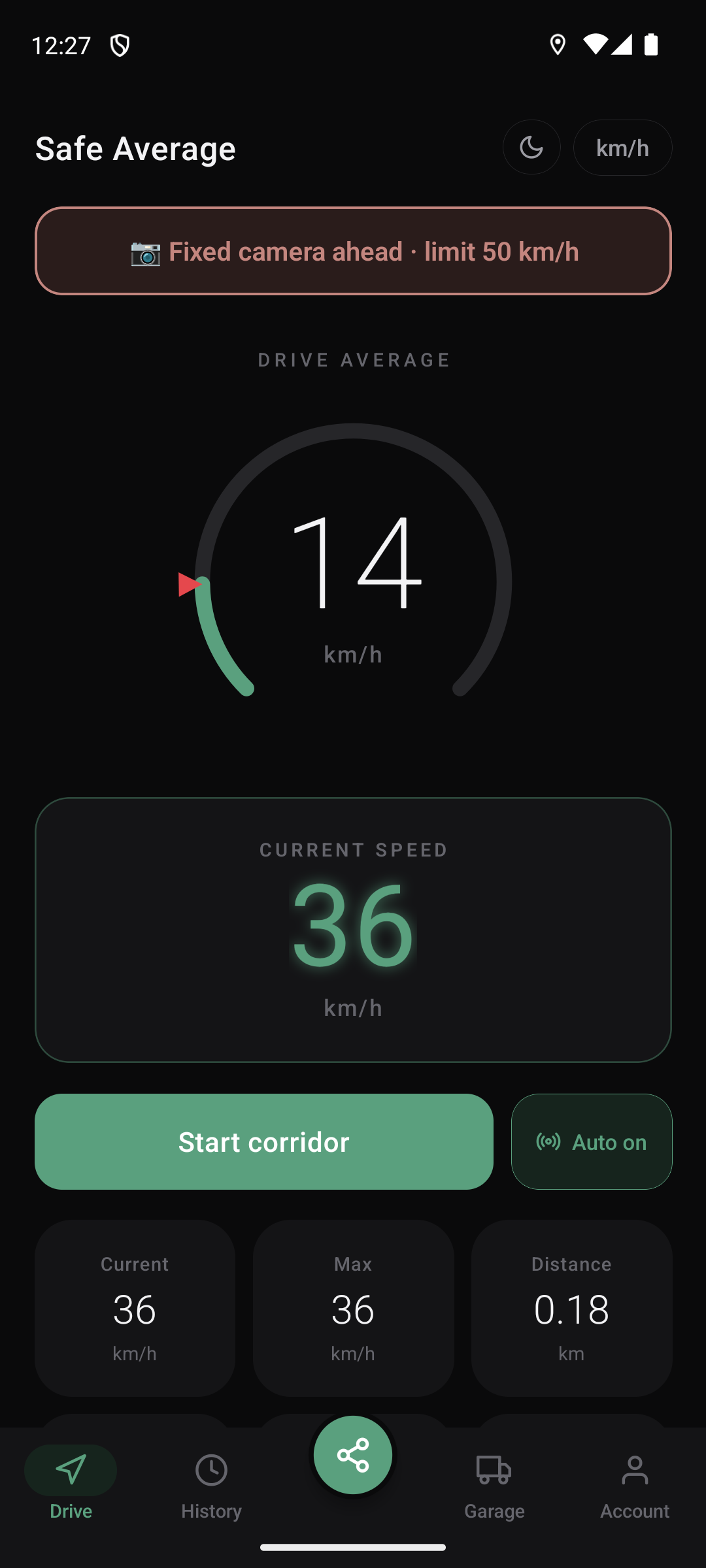
Fixed cameras? Warned in time.
Publicly known fixed-camera locations across Europe are built in — no routine or planning needed. As you approach one, Safe Average shows the camera and its posted limit, and speaks up if you're over it.
- Warnings with the posted limit, on any drive
- A sharper alert when you're over the camera's limit
- Included only where local law allows
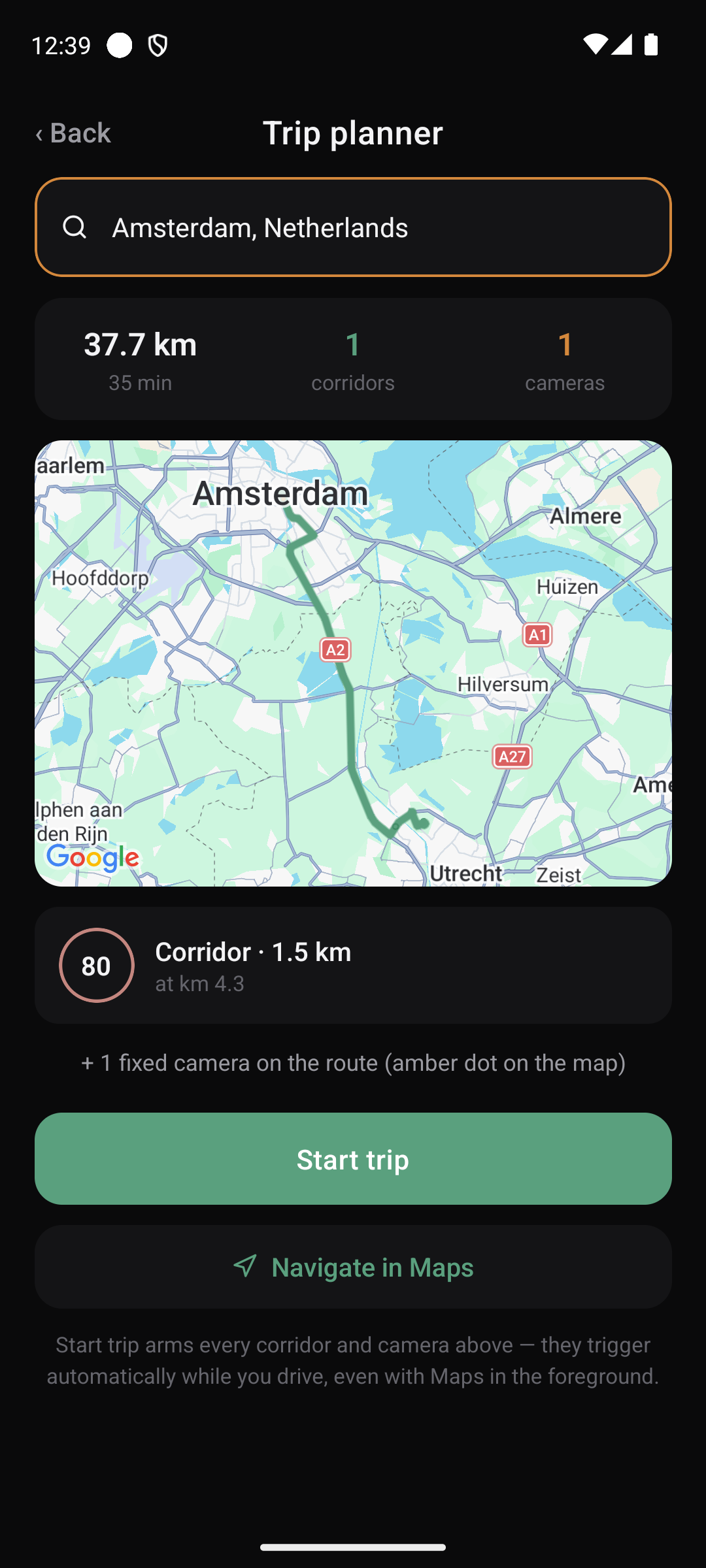
See the whole route before you go.
Type a destination — or pick a starting point — and the trip planner draws your route with every known average-speed corridor and fixed camera on it. Start the trip and they all arm themselves.
- Every zone and camera on the map, up front
- Distance, time and corridor list at a glance
- Works alongside your favourite navigation app
Routines that drive themselves.
Save any drive as a routine — Home to Work, the school run. Pick it and its corridors start at exactly the right spot, every day. Everything is learned and kept on your own device.
- Save a driven route once, reuse it forever
- A clean-drive streak that keeps you honest
- Nothing uploaded, nothing shared
More than a speedometer.
Safe Average is a complete driving assistant, in English, Deutsch, Français, Italiano, Español, Polski, Čeština and Nederlands.
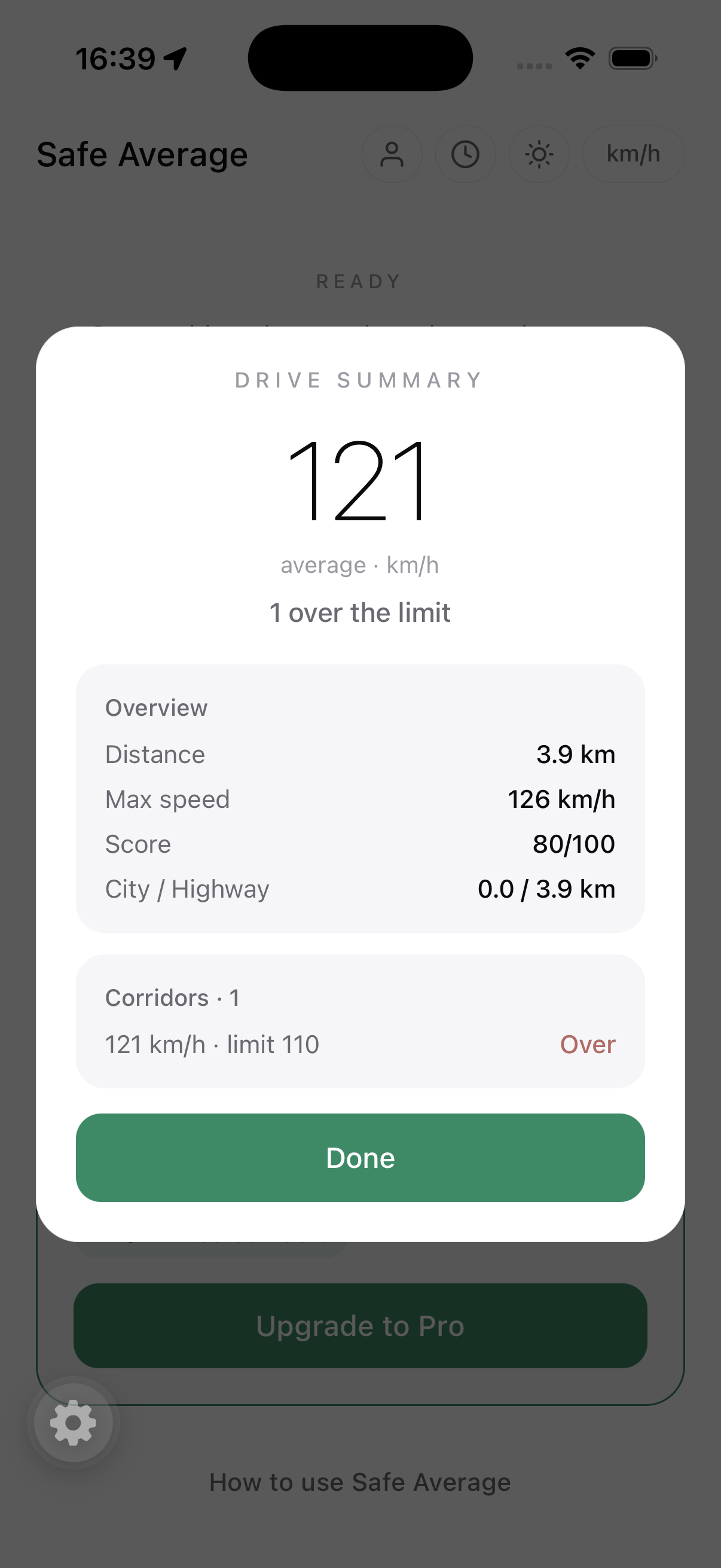
- Every drive scored 0–100, corridors marked Clean or Over
- Multi-vehicle garage, breaks, fuel & cost in any currency
- Searchable history and detailed PDF reports
Your route is never stored.
While you drive, your location is used on your device to work out distance and speed. The path you took is never saved and never uploaded. We keep your drive summaries so you can see them across devices, nothing more. No ads, no data selling, ever.
One payment. Yours forever.
Try the core drive for free. Unlock the complete assistant once, and keep it — while the subscription apps charge every single year.
- Trip planner — route + every corridor ahead
- Auto-start corridors across Europe
- Fixed camera alerts
- Routines, multi-vehicle garage, breaks
- Fuel & cost, history, PDF reports
- CarPlay on iPhone — your zone on the car screen
No subscription. No ads. Exact price shown at checkout in your currency.
Drive calmer. Stay legal.
Out now on the App Store and Google Play, in 8 languages.